Task Management
How we track work as tasks — from picking one up to marking it done.
Where do tasks live?
- Tasks live under the "Engineering backlog" project, in productive.io.
Working Guideline
Ownership
Own your task end to end — it is not finished the moment the code compiles.
- Test and validate your own work. The task is done only once you have confirmed it actually behaves as intended.
- Don't abandon a task after "finishing" it. Ownership continues until the stakeholder confirms it's done and you have cleanly handed it off.
- Engage with the business logic. Don't just pull work off the shelf and implement it mechanically — understand why the task exists.
- Question the requirements by default. Assume the spec could be wrong; if something looks off or doesn't make sense, raise it rather than silently implementing it.
Communication
Keep the people around you informed — silence is not progress, and unshared assumptions become expensive rework.
- Keep communication on the task. Record decisions, trade-offs, questions, blockers, and status updates in the task itself so everyone can follow the context and reasoning.
- Ask your questions early. Surface blockers and open questions as they come up, not after you're stuck.
- React fast, especially on the bench. Respond to new tasks, comments, and requests promptly — within hours, not one or two days.
- Acknowledge before you resolve. A quick "I've seen this, I'm looking into it" beats leaving others waiting for a full answer.
Task Requirements
A task must be clearly specified by the stakeholders before work starts — clear requirements are a precondition for development, not a nice-to-have.
As a stakeholder, you must
- specify the why and the task. The creator explains why the task exists and provides enough detail and acceptance criteria that the assignee understands the goal and knows what "done" looks like.
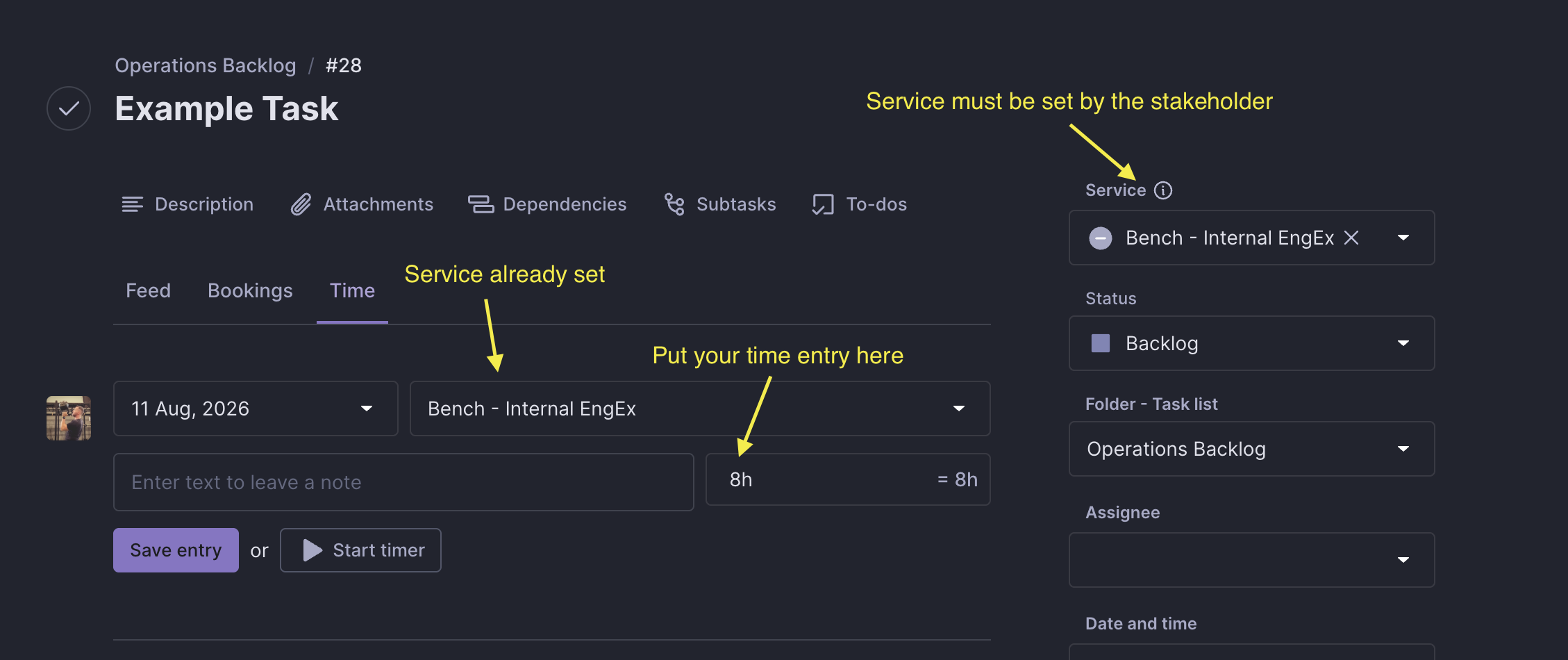
- select the correct Productive.io service. The stakeholder who creates the task must assign it to the appropriate service in Productive.io.
As an assignee, you must
- clear up questions first. If a task is under-specified, ambiguous, or you have questions, resolve them with the stakeholder before implementation begins.
- NOT start on unclear requirements. Building on ambiguity wastes effort, creates rework, and often produces something that misses the real need.
- push back when specs are missing. It's your responsibility to ask for clarity, not to guess.
Time Tracking
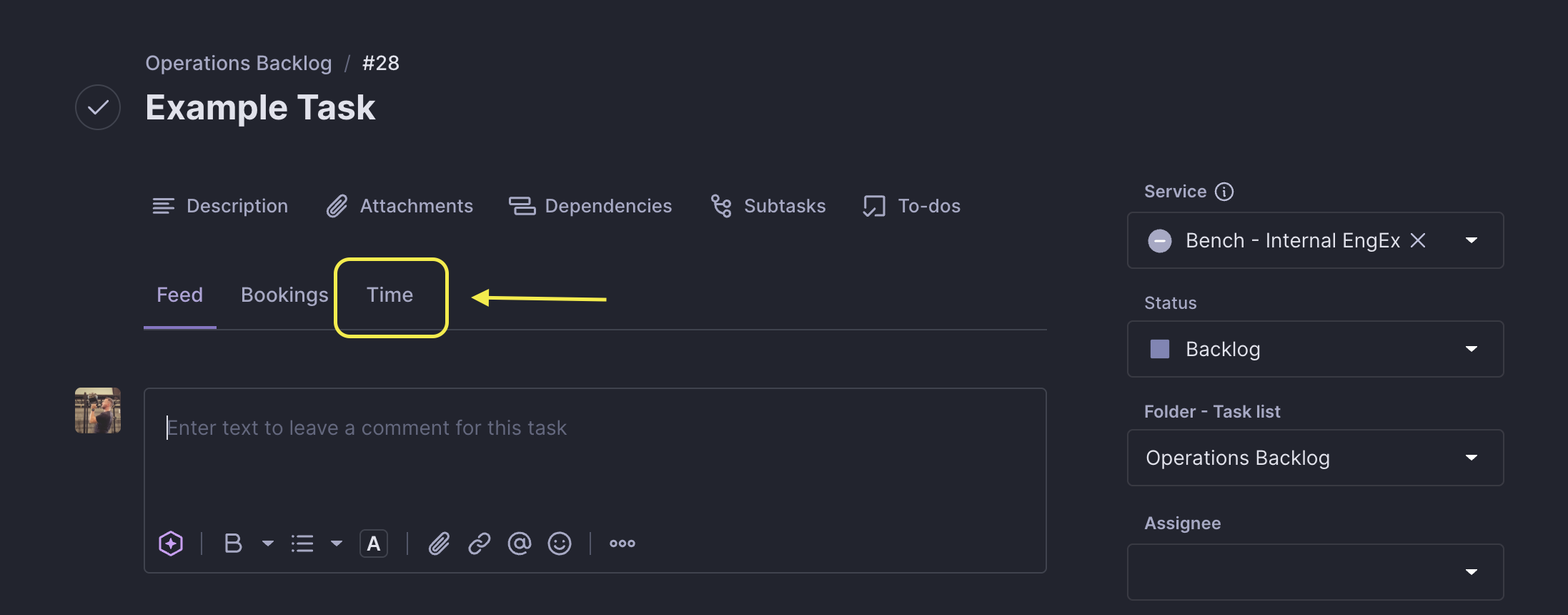
Track all time spent on an Engineering Backlog task directly against that task. This ensures the time is recorded in the right place and also appears under your personal Time Track.
To log your time, open the task in Productive and use its Time tab.
Task states
| State | Meaning |
|---|---|
| Backlog | Place for ideas, not detailed out tasks |
| Selected for Development | Tasks that are ready to start working on |
| In Progress | Task is being implemented |
| On review | Task is ready to review/being reviewed |
| Blocked | Task is blocked - please highlight what is blocking it |
| Done | Task is completed |
| Cancelled | Task was cancelled - please highlight why |